
Deploy Cloud Cost Optimizer Dashboard
From subscribing on AWS Marketplace to a running, secured instance — plus day-2 operations.
Operating system
Ubuntu 22.04 LTS
SSH user
ubuntu
Default login
admin / Instance ID (password is the EC2 Instance ID)
This guide covers launching and using Cloud Cost Optimizer Dashboard from AWS Marketplace.
Prerequisites
- An AWS account with permission to subscribe to Marketplace products and create CloudFormation stacks (and the IAM role the template defines).
Step 1 — Subscribe & deploy the CloudFormation stack
- On the AWS Marketplace listing, choose Continue to Subscribe → Continue to Configuration.
- Select the CloudFormation Template fulfillment option and your Region, then Continue to Launch.
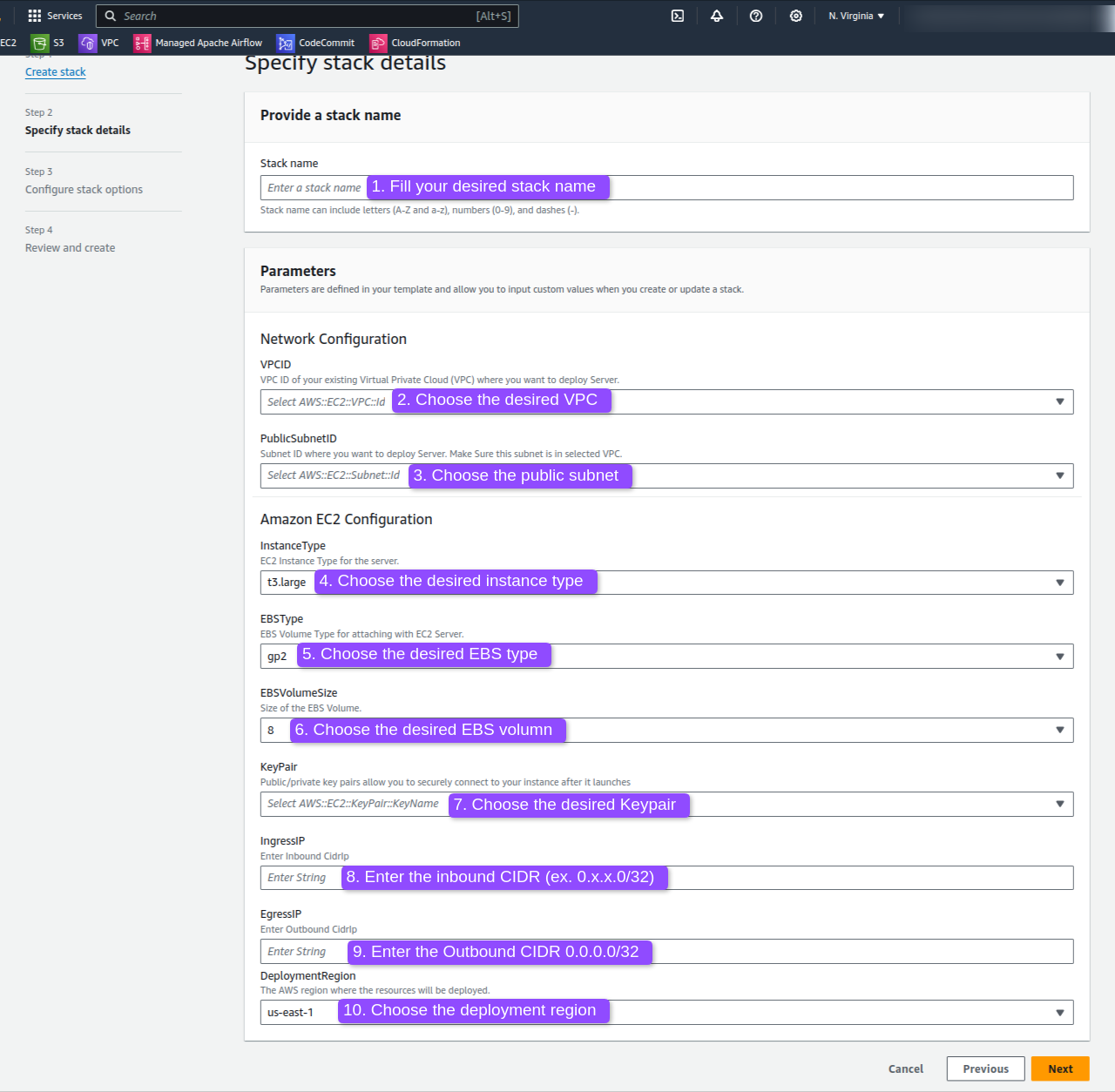
- Choose Launch CloudFormation, review the template parameters, and create the stack. This provisions the dashboard instance and a read-only IAM role automatically.
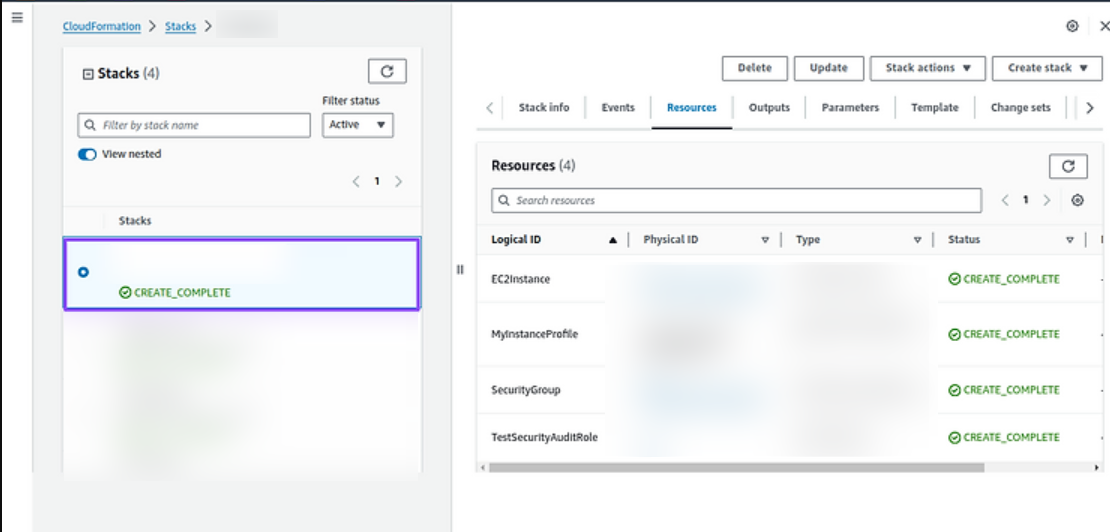
- Wait for the stack to reach CREATE_COMPLETE and the instance status checks to pass 2/2.
Step 2 — Open the dashboard
Configure the AWS cloudformation as directed below in the image.
Hit the next button until you see the below dashboard.
Now it is completed. Now you can open the AWS Cost Optimizer dashboard.
Step 3. Open Dashboard
Wait for instance status check to update to 2/2 checks passed.
Now copy the Public IP of the instance.
http://<public-ip>
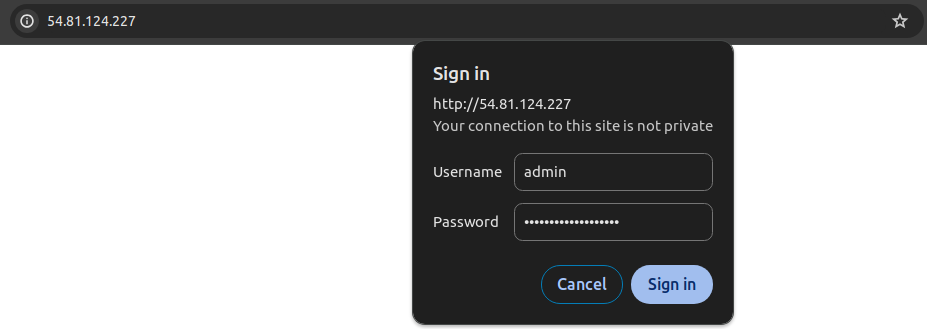
It will open like this:
Now paste the default username admin and the password is your instance ID (e.g. i-0a0419ef***11cce2).
Once you paste the username and the password click the sign-in button.
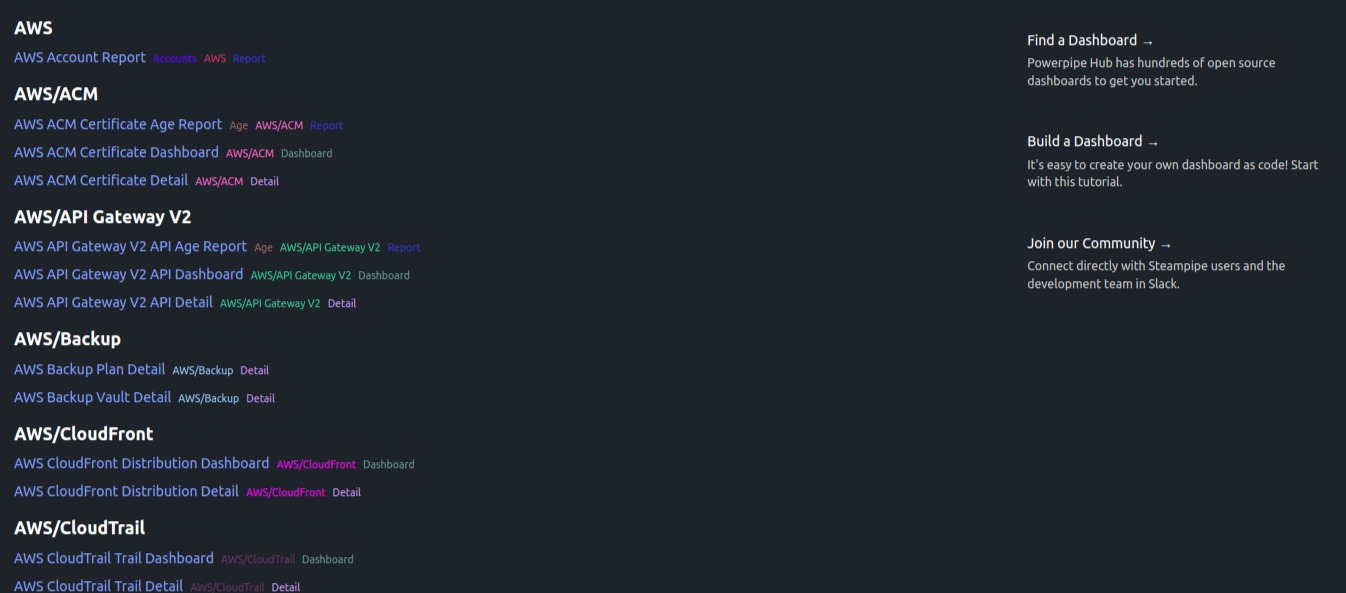
Now your dashboard is open. You can choose your desired service to view its Cost Optimizer.
This is how you can use this Cloud Cost Optimizer Dashboard Packaged by IOanyT Innovations to view your account’s AWS Cost Optimizer.
Default credentials: admin / Instance ID (password is the EC2 Instance ID). Change them immediately after first login.
Screenshots



Day-2 operations
Apply OS and package security updates on your normal cadence, snapshot the EBS volume for recovery, and forward logs/metrics to CloudWatch.
Support
Email aws-marketplace-support@ioanyt.com for help.